

Create a New Show
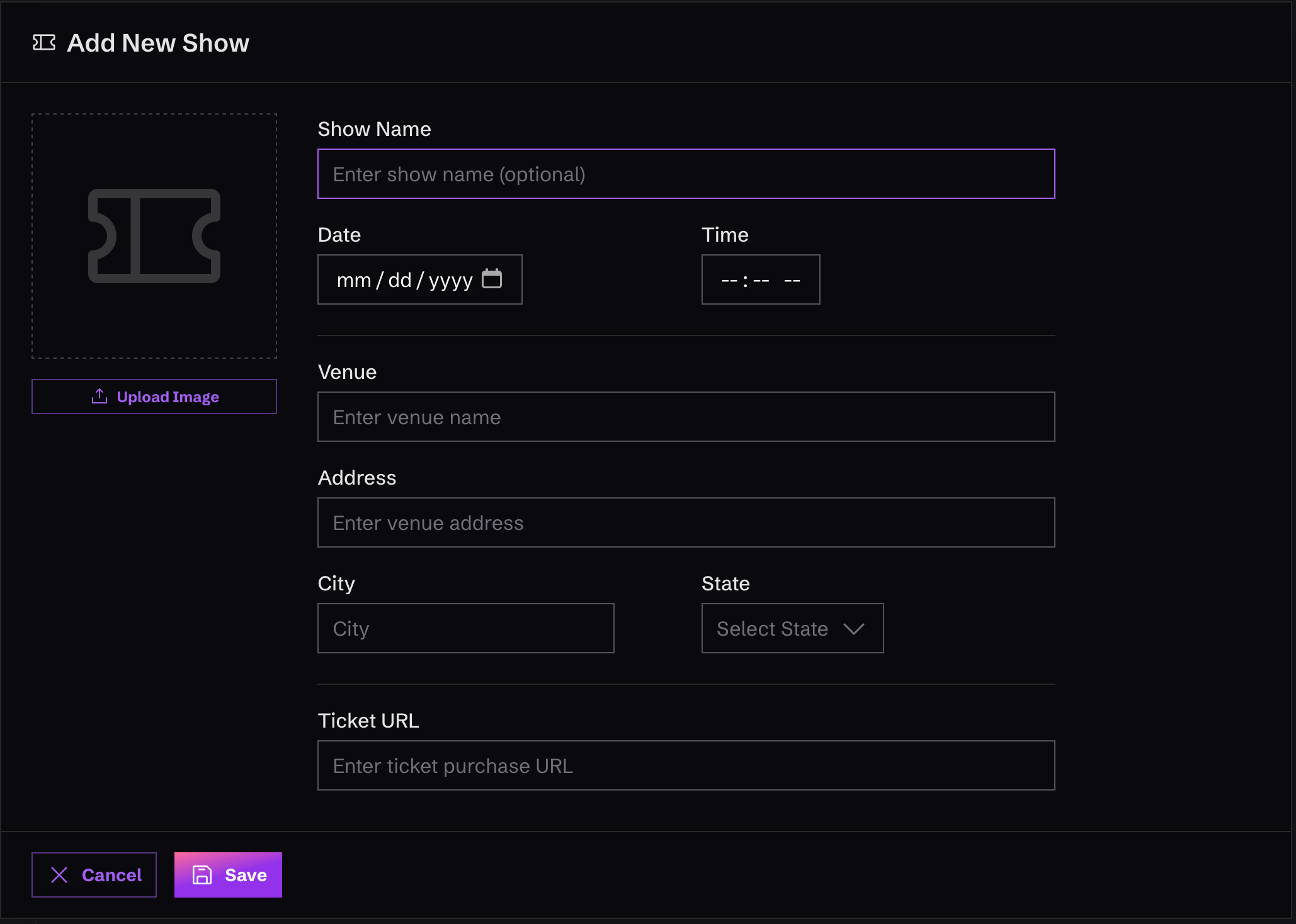
To create a new show, just click on “Shows” in the left-hand menu, in the “Content” area. Once you’re there, you’ll see a button that says “Add Show”. Click it and fill out the form that appears.Shows are somewhat unique in Monophonic.io in that they will automatically display on the website, if you’ve added a “Shows” section to your website.Shows that take place in the future will appear in the “Shows” section of the website, while Shows that have taken place in the past will simply not be displayed.
Show Fields
Here is a list of the fields you can add for a Show:Shows Outside the US
Pick the country first and the address fields adjust to match. US shows get the state dropdown and a ZIP code field. Everywhere else gets a free text State / Province field, which you can leave empty for countries that don’t use one, plus a postal code field.Changing the country clears whatever was in the State field, since a state from the old country doesn’t mean anything in the new one. Just pick the new one after you switch.
Time Zones
Show times are always the time at the venue. Enter 8pm for an 8pm show and that’s what your fans see, wherever they happen to be reading your site from. We work out the venue’s time zone from the city and country you enter and fill in the Time Zone field for you. If we get it wrong, pick the right one yourself and we’ll leave it alone from then on.Export Your Shows to a Calendar
Once you have at least one show, an Export to .ics button appears at the top of the Shows page. Click it and pick what you want:- Upcoming shows only, which is the default
- Upcoming and past shows
shows.ics file you can import into Google Calendar, Apple Calendar, Outlook, and most other calendar apps. Every show keeps its venue time zone, so the dates land correctly for whoever opens the file.