> ## Documentation Index
> Fetch the complete documentation index at: https://docs.monophonic.io/llms.txt
> Use this file to discover all available pages before exploring further.
# Videos
> How to add and manage videos in Monophonic.io
 ## Create a New Video
To create a new video, just click on "Videos" in the left-hand menu, in the "Content" area.
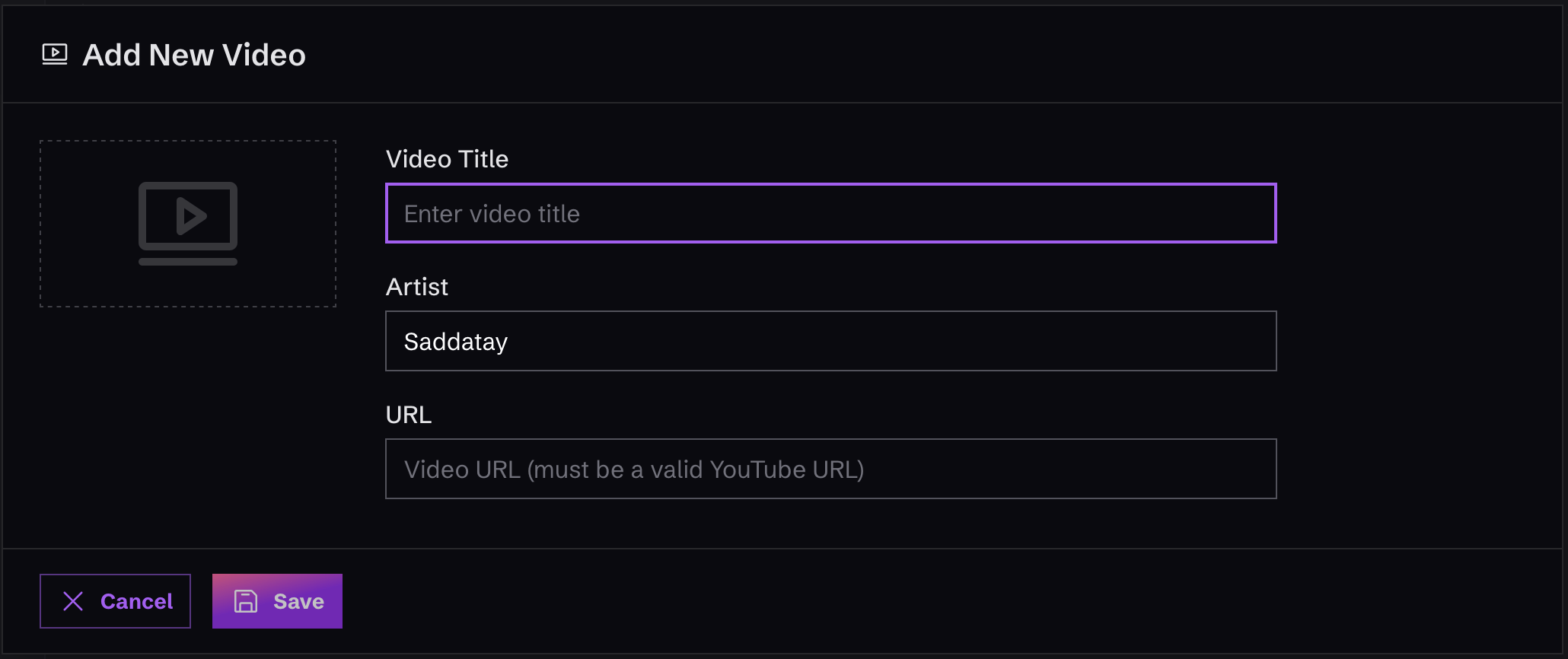
Once you're there, you'll see a button that says "Add Video". Click it and fill out the form that appears.
Remember that when you add a Video, you're just adding it to your "inventory" of stuff to include in your website. It won't actually be visible on the site until you decide to add or edit a "Section" that actually uses the Video!
This is helpful, for example, if you want to add a video that hasn't been released yet, so you can get that work out of the way.
## Video Fields
Here is a list of the fields you can add for a Video:
| Field Name | Description |
| :------------ | :----------------------------- |
| `Video Title` | This is the name of the video. |
| `Artist` | The artist name for the video. |
| `Url` | A YouTube link to the video. |
For now, we only support YouTube Urls, which automatically become embedded YouTube players in the website. But we're adding support for more options soon! Message us at [support@monophonic.io](mailto:support@monophonic.io) if there's a video you service you want us to support!
## Create a New Video
To create a new video, just click on "Videos" in the left-hand menu, in the "Content" area.
Once you're there, you'll see a button that says "Add Video". Click it and fill out the form that appears.
Remember that when you add a Video, you're just adding it to your "inventory" of stuff to include in your website. It won't actually be visible on the site until you decide to add or edit a "Section" that actually uses the Video!
This is helpful, for example, if you want to add a video that hasn't been released yet, so you can get that work out of the way.
## Video Fields
Here is a list of the fields you can add for a Video:
| Field Name | Description |
| :------------ | :----------------------------- |
| `Video Title` | This is the name of the video. |
| `Artist` | The artist name for the video. |
| `Url` | A YouTube link to the video. |
For now, we only support YouTube Urls, which automatically become embedded YouTube players in the website. But we're adding support for more options soon! Message us at [support@monophonic.io](mailto:support@monophonic.io) if there's a video you service you want us to support!